
Gentle
Allow a limited run of Reels before NoLoop checks in.
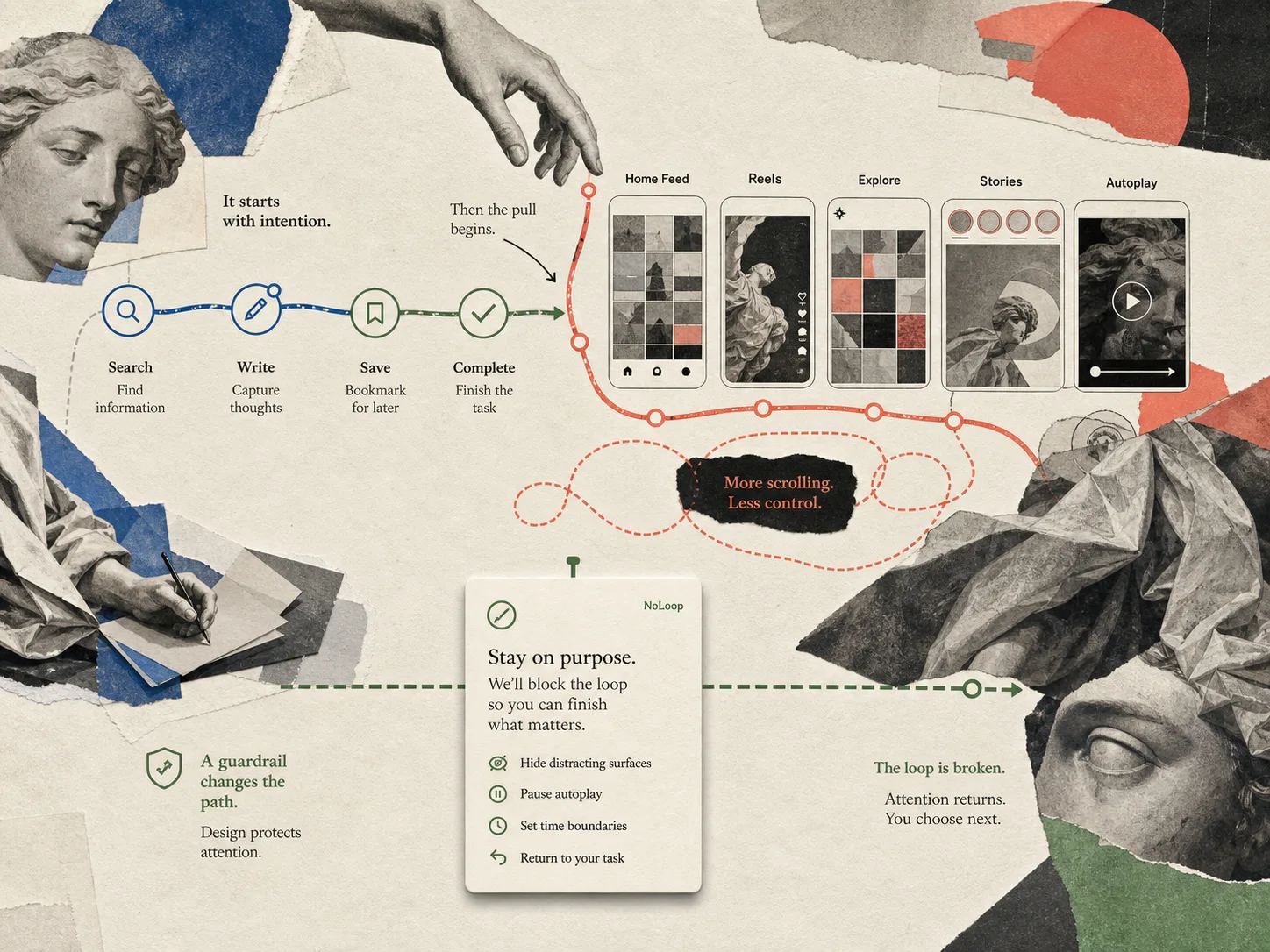
NoLoop interrupts Instagram's endless loops in Safari, so checking one thing doesn't turn into 30 minutes of scrolling.
01 A self-nudge for Safari
Fig. 01 The interrupted gaze
NoLoop changes how Instagram behaves so you can keep practical access while restoring a stopping cue before a visit becomes automatic scrolling.
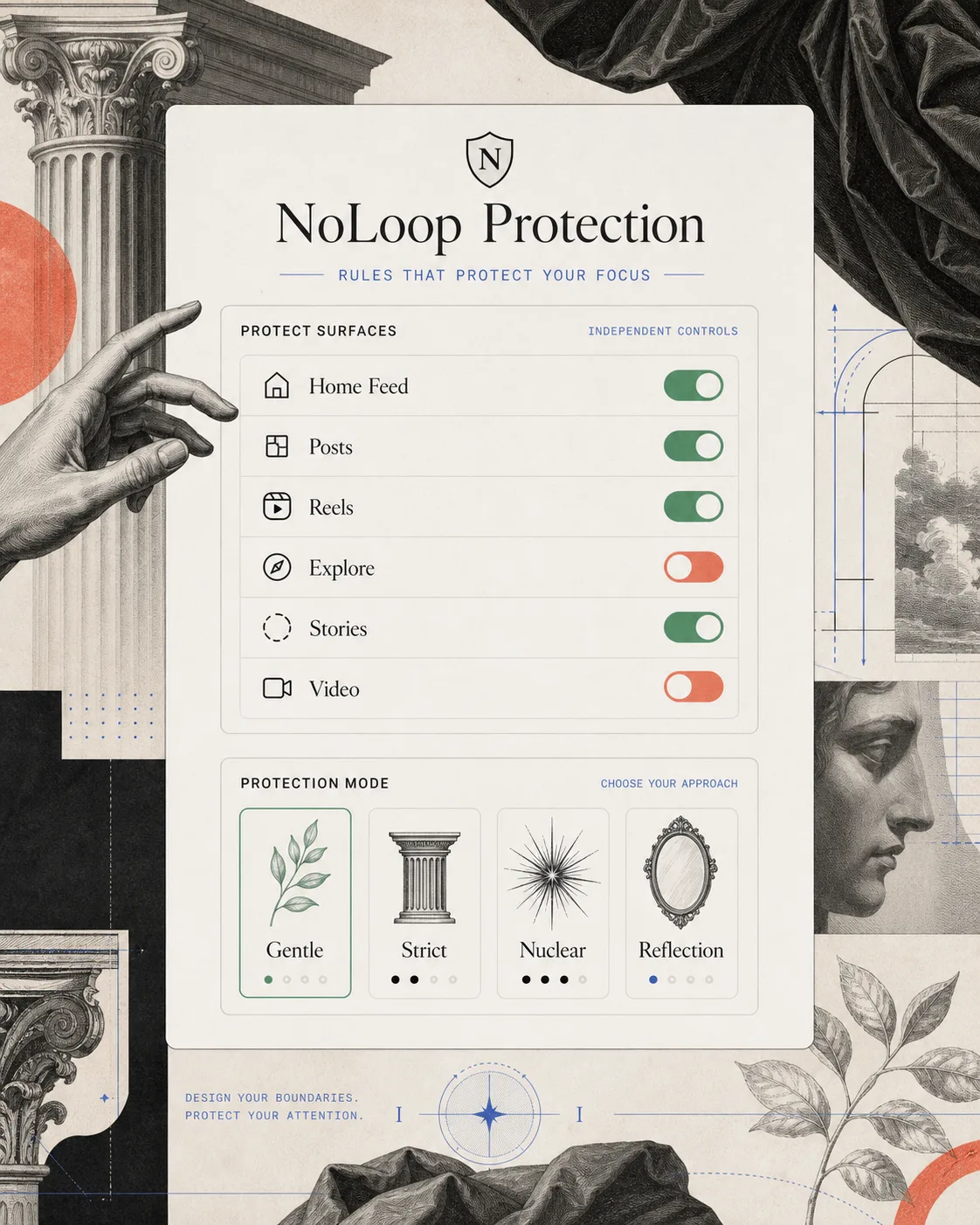
Gentle, Strict, Nuclear, and Reflection give you different ways to interrupt Instagram's most habit-forming surfaces without blocking everything.
Allow a limited run of Reels before NoLoop checks in.
Block Reels while preserving useful browser access.
Block both posts and Reels when you want the strongest guardrail.
Ask for a brief intentional pause after posts and every five Reels.
Following only opens Instagram's home posts in the Following feed, so you only view posts from accounts you follow.
Check in with friends, keep up with creators you chose, and reduce the accidental scrolling that can begin with a recommended post.
Open Instagram to posts from accounts you intentionally follow.
Catch up with friends and creators without starting in an open-ended stream of recommendations.
Your settings stay local to your device. Your browsing data does not leave it.
Turn on the Safari extension for instagram.com.
Select a protection style and tune surfaces like Home Feed, posts, Reels, Explore, Stories, and video behavior.
Keep Messages, profiles, notifications, and search while NoLoop interrupts the loops you chose to protect.
Protected surfaces
Configured independently
Useful access
Preserved for practical use
Decide whether videos play normally, stay paused until you choose them, or are hidden altogether.
Automatically pause your rules on weekends if that fits your routine.
Instead of a dead end, NoLoop presents a calm interruption and a clear next action when you reach blocked content.
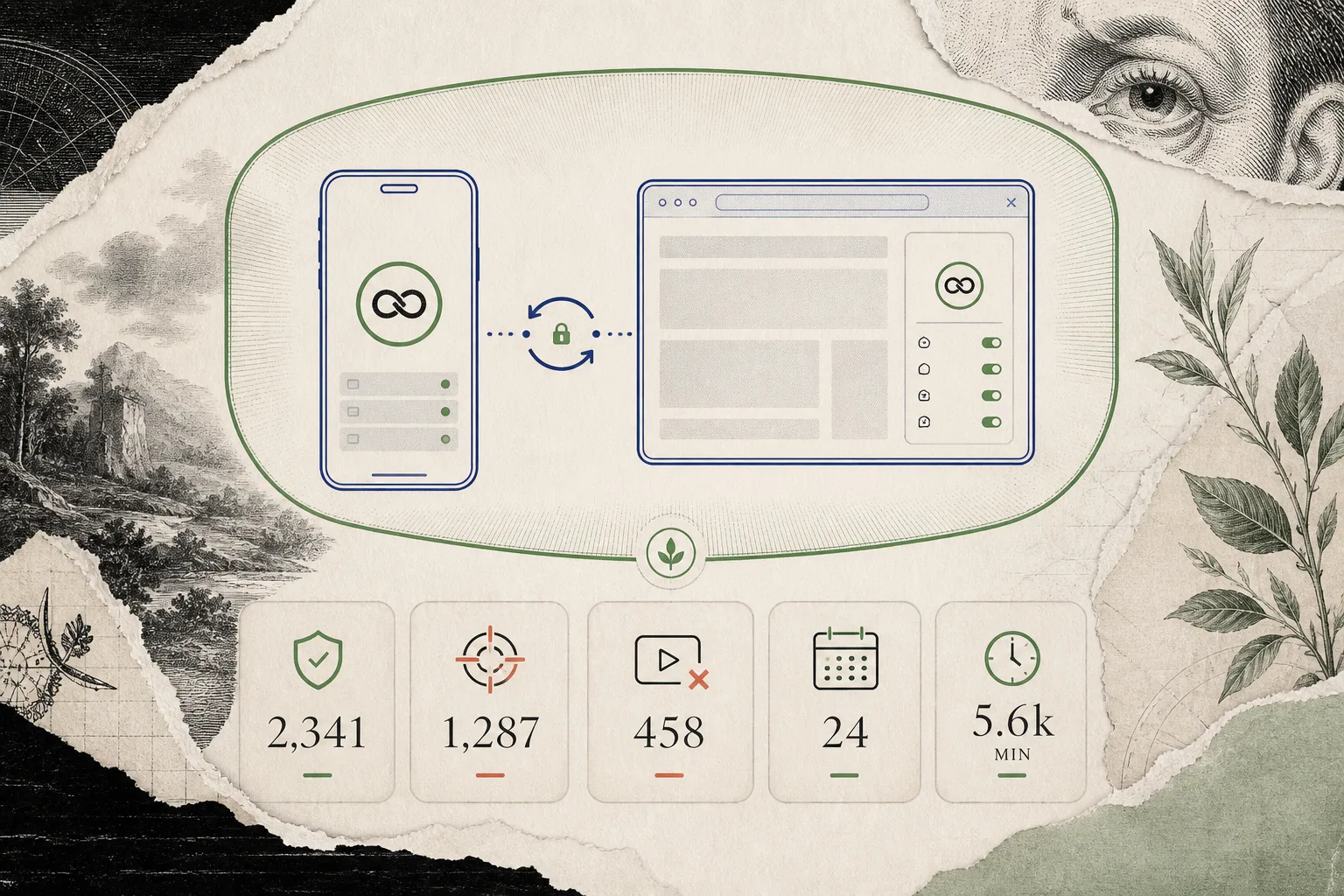
Track interventions, blocked scroll loops, stopped videos, active days, and estimated minutes of attention returned.
NoLoop works locally on your device. Rules and impact data are stored locally and shared only between the app and its Safari extension.
Your browsing data does not leave your device.
NoLoop is a Safari extension and companion app that changes how Instagram behaves in the browser so you can avoid its most addictive loops while preserving useful surfaces.
No. NoLoop works with Instagram in Safari. It is not a new social network.
NoLoop is more specific than a generic blocker. It lets you choose protection styles and surface-level rules for Instagram in Safari.
NoLoop is an independent product by Avo Dating LLC and is not affiliated with, endorsed by, or sponsored by Instagram or Meta.
NoLoop works locally on your device. Rules and impact data are stored locally and shared only between the app and its Safari extension.
NoLoop for iOS
Download NoLoop for iPhone and iPad, then enable its Safari extension to make your Instagram visits more intentional.
Download on the App Store